
Drop in the two photos below and you get a silent MP4 to post with the sound. The first 4 seconds can be previewed for free.
1 · Make your oh you can make it cap video
One-time payment, no subscription · No watermark · Photos deleted after 14 days · Failed renders refund credits automaticallyIf the finished video clearly doesn’t look like your photos, contact us within 7 days. We review every case, and where it fits we re-render it or refund you. refunds · photo rules
Why people call it “you tweaking”
The clip has a few lines people remember, and each one turned into a name. “Oh, he tweaking” is said in the 2024 dating-show clip the meme comes from. You can still hear “oh, he’s tweaking” in the sound used by the October 2026 AI remakes. People who remember that line search “you tweaking AI” or “oh he tweaking AI”. People who remember the opening search “oh you can make it cap” or “can you make it clap”.
It’s one meme either way. The history is on the can you make it clap AI page.
What our you tweaking video looks like
We remake the version most AI remakes use right now: a light-grey studio, two people in suits, about ten cuts in 15 seconds. The AI keeps every cut where it is in that clip and swaps in the two of you.
- Photo 1, the one who laughs: a chin rub, a smirk, a laugh behind the hand. Most of the screen time is theirs.
- Photo 2, the one who flips their hair: a hair flip, a grin, a few words into a small mic.
Neither of you has to wear a suit. You each keep the clothes in your photo. The 2024 man-and-woman original with the handbag isn’t something we make.
Choosing who plays which part
The most-liked remake we watched cast two different people, one in each part, and that’s what the generator is built for. A few things to think about:
- The one who laughs gets the most screen time. Give it to whoever the video is really about.
- Use two different photos, one person in each. A group photo won’t work.
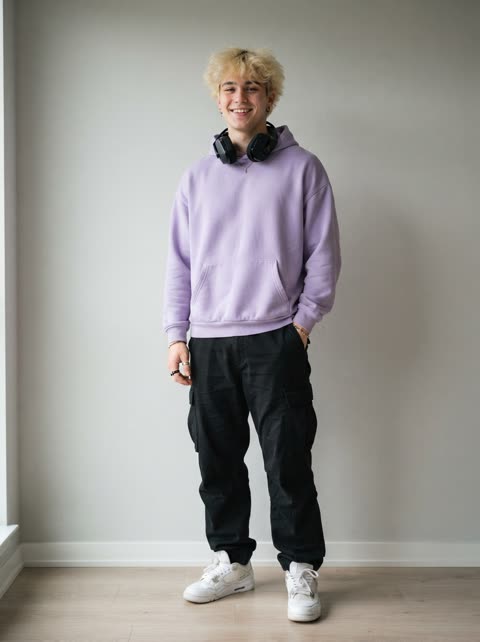
- Faces need to be clear. Waist-up photos work well because the clothes come along.
- Only use photos of yourself or of adults who said yes. No kids and no famous people.
More photo advice is in how to do the oh you can make it cap AI trend.
Adding the tweaking sound
The file comes without sound. When you post on TikTok, Reels or Shorts, pick the trend’s sound from the app’s library and line it up with the start of the clip.
After you press Generate
- A render usually takes about 5 minutes.
- You can close the page. Come back in the same browser, or sign in and open My videos.
- If a render fails, the credits go back to your balance.
- The MP4 has no watermark.
- Your photos are deleted automatically after 14 days.
Paying is a one-time PayPal payment, with no subscription. Prices are on the pricing page. If something goes wrong, the oh you can make it cap AI not working page has fixes for each step.
You tweaking AI questions
Is you tweaking AI the same trend as oh you can make it cap?
Yes. “You tweaking”, “oh he tweaking”, “can you make it clap” and “oh you can make it cap” all point to the same clip. People just search it by whichever line stuck with them.
Can my friend and I swap parts?
Yes. The first photo plays the one who laughs and the second plays the one who flips their hair. Put the photos in the other order and you swap parts.
Does it matter if we are men or women?
No. Any two adults can play either part. The clothes come from your own photos, not from the original.
Can I do it alone?
Yes. Tap “Just me? Use one photo for both parts” under the photo slots and your photo plays both parts.
What if my photo gets blocked?
Every photo goes through a content check before anything renders: no children, no celebrities, no nudity. If a photo is blocked, nothing is charged and you can upload a different one.
Can I see it before paying?
Once, yes. The free preview is the first 4 seconds with your photo, 480p, silent. You need to be signed in with a verified email, and it’s one preview per account and device.
Where is my video if I close the tab?
It keeps rendering. Come back in the same browser within 7 days, or sign in and open My videos. If it is still pending after 24 hours, we follow up by hand.
Is the video vertical?
No, it’s landscape, close to 4:3, the same framing as the clip it remakes.
Independent, fan-made tool. Not connected to the people in the clip, the creator of the sound, TikTok or CapCut.