These came straight out of our oh you can make it cap AI generator with no editing. Under each one: what went in, what came out and what to look at.
Example 1: Hawaiian-shirt dad vs. Gen-Z friend
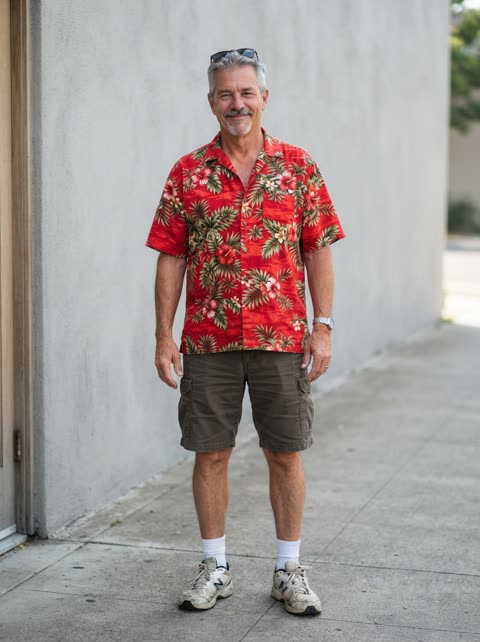
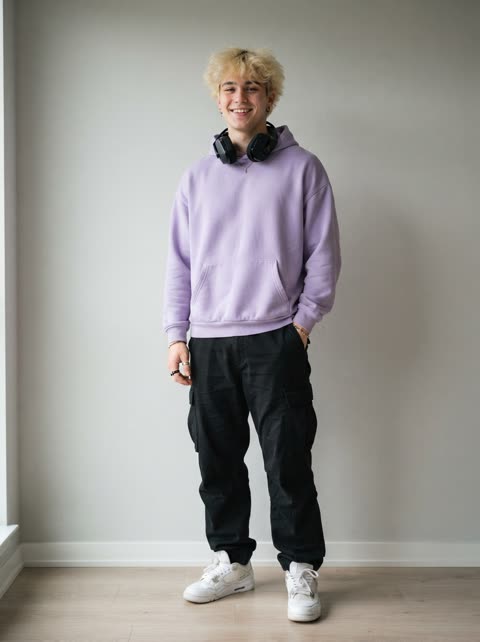
What went in
- Your photo: a grey-haired man with sunglasses pushed up on his head, in a red Hawaiian shirt and cargo shorts, photographed head to toe.
- Friend’s photo: a blond young man in a lavender hoodie with headphones around his neck and black trousers.
What to look at
- The dad plays the bald guy’s part, but he keeps his own grey hair and the sunglasses on his head. The chin rub, the arm thrown up and the laugh behind the hand are all there.
- The friend gets the curly-haired guy’s part: the hair flip and the big grin, with his headphones still on.
- Nobody wears a suit. Both keep the clothes from their photos for the whole clip.
- It is the full 15 seconds in HD 720p, and the cuts land where the original’s do (all 10 within 0.04 seconds of the original when we measured).
Example 2: two friends, an early 5-second test

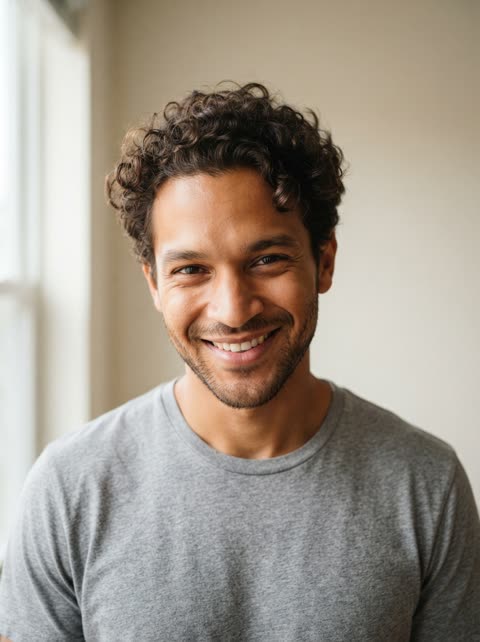
This is an early test made before launch, and it shows two things the generator no longer does. It is only 5 seconds long, and the prompt at the time put both men in suits instead of their own clothes.
- Your photo: a dark-haired man with a short beard in a green T-shirt. In the clip he wears a grey suit and a blue striped tie, like the original.
- Friend’s photo: a curly-haired man in a grey T-shirt. In the clip he is in a dark jacket, grinning and holding a small mic.
- Both faces and haircuts come through clearly. It is Standard 480p.
The current generator makes the full 15 seconds and keeps the clothes from the photos, as in the first example.
Captions to post with it
If you stack yours under the original, a short caption does the rest. A few that fit:
- Original on top, us underneath. Who did it better?
- My dad has never looked this smug in his life
- Tag the friend who is obviously the hair flip
- He said I couldn’t make it cap
- The group chat finally got its remake
Add the “oh you can make it cap” sound in the app before posting. The video file is silent. The steps are in how to do the oh you can make it cap AI trend, and the clip they copy is broken down shot by shot on the oh you can make it cap AI trend page.
Oh you can make it cap AI video examples FAQ
Are these real oh you can make it cap AI videos?
Yes. Both clips came out of this generator with no editing afterwards. The people in them are not real: the input portraits are AI-generated fictional people, so nobody’s likeness is used.
Why is the second example only 5 seconds and in suits?
It is an early test from before launch. That version made 5 seconds and the prompt dressed both men in suits like the original. The current generator makes the full 15 seconds and keeps the clothes from your photos, as in the first example.
Will my video look like the examples?
It follows the same 15 seconds, cuts and moves as the first example. How close the faces come out depends mostly on your photos: one person each, facing the camera, sharp and well lit.
What is the difference between the HD and Standard samples?
The first example is HD (720p) and the second is Standard (480p). Both settings make the same clip with the same moves; HD is sharper.
Why don’t the examples have sound?
Every video from the generator is silent. The “oh you can make it cap” sound belongs to someone else, so you add it in TikTok, Reels or Shorts when you post.