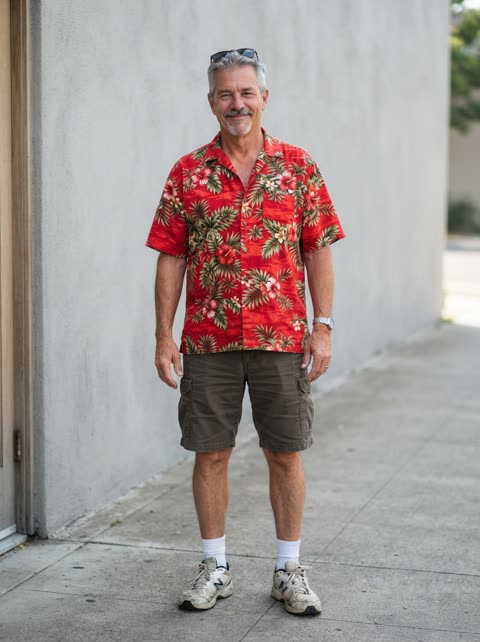
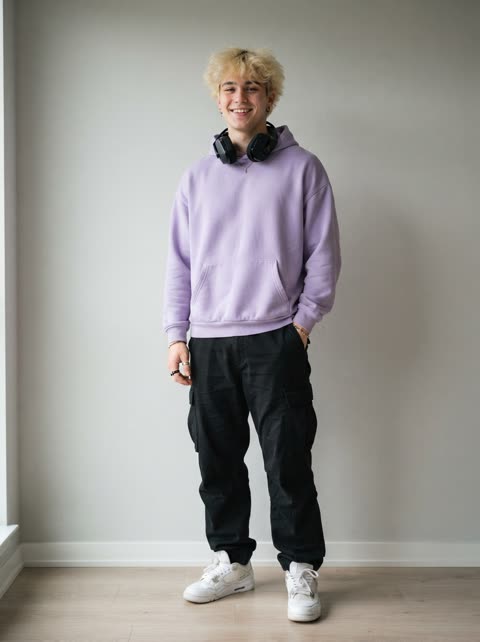
If you don’t want to set any of this up, our oh you can make it cap AI generator does it from two photos. If you do, everything we learned is below.
What you need besides a prompt
A text prompt alone can’t get you this clip. The trend is a copy of one specific 15-second edit, with about ten cuts and particular gestures in a particular order (the oh you can make it cap AI trend page lists them). Describing that in words gets you two men in a grey room doing roughly similar things. To get the real thing you need:
- A video model that takes a reference video and reference images in one request. We use Seedance 2.0 through a third-party API.
- The original clip as the reference video, prepared as described below.
- Two photos, one person each: the people who will play the two parts.
- A prompt that says which input controls what.
A prompt template you can copy
Fill in the brackets. Describe each man by what he does in the clip rather than by name, so the model can match the part to the right person.
Inputs: reference video 1 (the original clip), reference image 1, reference image 2.

Motion: use reference video 1 only for motion, timing and camera. Keep its plain light-grey studio, camera position and framing, every cut point, every body movement, hand gesture, expression and mouth movement, and the small handheld mic.
Do not copy the faces, hair or clothes of the people in video 1.

Person A: in video 1, [describe the first man by what he does, e.g. "the bald man who throws his arm up, rubs his chin and laughs behind his hand"]. Replace him with the person in reference image 1: same face, hair, build and the exact clothes from image 1.

Person B: in video 1, [describe the second man, e.g. "the curly-haired man who flips his hair and grins into the mic"]. Replace him with the person in reference image 2: same face, hair, build and the exact clothes from image 2.

Clothes: if a photo stops at the waist, continue the same outfit below it.
Mouths: natural; show teeth when laughing; the tongue stays inside the mouth.
Output: sharp faces, no text, captions, logos or watermark, no extra people, no audio.
Why it is written this way
- The video controls motion and the photos control who appears. Saying which input does what is most of the prompt’s job.
- Each person is tied to one image and one part, and the part is described by its moves, so the model knows who replaces whom.
- The clothes line asks for the outfits from the photos instead of the suits in the clip.
- “No audio” keeps the file clean so you can add the trending sound afterwards.
Two mistakes from our own tests
We ran these on October 26, 2026 while building the generator.
1. Using the untouched original as the reference
With the original clip as-is, the model copied the two original men instead of the people in our photos. The fix was to blur the upper half of both faces in the reference clip before sending it, so the only clear faces the model had were the ones in our photos.
2. Blurring the mouths too
When the blur covered the whole face, mouth included, the results had tongue artifacts: tongues showing where they shouldn’t. Stopping the blur above the mouth leaves the real mouth shapes for the model to follow. We also keep the “tongue stays inside the mouth” line in the prompt.
With the upper faces blurred and the mouths clear, the timing held up well: in our measured render all 10 cuts landed within 0.04 seconds of the original.
Photo tips that apply to any model
- One person per photo, facing the camera, sharp and well lit.
- Waist up, so the model sees the outfit it should keep.
- No sunglasses, masks or heavy filters.
- Only photos of yourself and of adults who said yes.
Or skip the setup
The generator on our homepage runs this whole process for you: the prepared reference clip, the prompt and a fallback provider if a render fails. You upload two photos and get the 15-second clip in about 5 minutes. See what comes out in the oh you can make it cap AI video examples, or read how to do the oh you can make it cap AI trend from start to finish.
Oh you can make it cap AI prompts FAQ
Is there a text-only prompt for the oh you can make it cap AI video?
Not one that gets the real clip. Text alone can describe two men in a grey studio, but it can’t reproduce the exact cuts, gestures and timing. You need a model that takes the original clip as a reference video plus one photo per person.
Which AI video model can do this?
One that accepts a reference video and reference images in the same request. We use Seedance 2.0 through a third-party API, with a second provider as a fallback if a render fails.
Why does the AI keep the people from the original clip?
In our tests, an untouched original clip as the reference made the model copy the two original men instead of using our photos. Blurring the upper half of their faces in the reference clip fixed it.
Why do the mouths look strange, with tongues sticking out?
That happened to us when the blur on the reference clip also covered the mouths. Leave the mouths clear so the model can follow them, and tell it in the prompt that the tongue stays inside the mouth.
Can I use this prompt with photos of anyone?
Only with photos of yourself and of adults who agreed to it. No minors, no celebrities, and nothing meant to make people think a real person said or did something they didn’t.